What really amazed me this week is that there I couldn't find a JSP Tag Library for Web Services. I did find a specification request for JSP Tag Library for Web Services, but I couldn't find anybody who was working on it. If somebody knows of an existing JSP tag library, please let me know.
2008-08-03
Google open all 0.6.1
The Google open all user script (original post) for Greasemonkey was updated to support the new HTML structure Google uses.
2006-11-15
RTL gemist direct video link
This one is for the Dutch readers... again:
Het Programma gemist directe video link (voorheen “Omroep.nl video's direct linken”) user script (oorspronkelijke post) voor Greasemonkey ondersteunt nu ook RTL Gemist (RTL4, RTL5 en RTL7).
2006-06-17
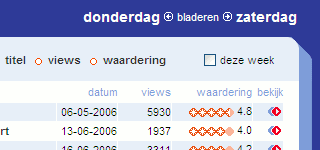
Uitzendinggemist.nl direct ASF link and 'this week' filter
This one is for the Dutch readers... again:
Het Omroep.nl video's direct linken user script (oorspronkelijke post) voor Greasemonkey is op twee punten verbeterd.
- Bij een Window Media Player video krijg je geen wit scherm meer, maar blijf je op de huidige pagina.
-
In overzichten is een checkbox toegevoegd waarmee je de lijst tot de afgelopen week kunt beperken.
2006-06-14
Firefox extension tip: RefreshBlocker
I'm a frequent visitor of uitzendinggemist.nl. It has an annoying meta refresh on most pages. You, unfortunately, can't remove these refreshes using Greasemonkey. When you remove the meta tag from the DOM tree, the refresh has already been set.
There is an extension for Firefox called RefreshBlocker which blocks those meta refreshes. You can create a white- or blacklist of sites using regular expressions.
2006-06-03
Uitzendinggemist.nl direct video link user script
This one is for the Dutch readers:
Het Omroep.nl video's direct linken user script (oorspronkelijke post) voor Greasemonkey is aangepast voor de vernieuwde uitzending gemist site.
Het heeft even op zich laten wachten maar gelukkig is Userscripts.org weer in de lucht en had ik nu even tijd om het nieuwe script online te zetten.
2006-05-07
Google Reader subscribed indicator user script
Mihai Parparita of persistent.info has added a check icon to my Google Reader subscribe user script which appears when you are subscribed to at least one of the feeds that the site advertises via auto-discovery. The idea is great but it still has some caveats. I personally would have used a smaller check icon because I wrote it in the first place to use as little screen size as possible.
2006-05-06
Userscripts.org large description textarea user script
Today I was editing a description on one of my user scripts on Userscripts.org and decided to write a small user script to enlarge the description textarea for Greasemonkey.
2006-04-13
Jasper's Google Reader subscribe user script improved
I've implemented the improvement suggested by Chris Wetherell in Jasper's Google Reader subscribe user script (original post) for Greasemonkey. Feed URL's containing query strings are now handled correctly. Thanks, Chris!
2006-04-05
CSS styling definition lists without floating or absolute positioning
I've written before on styling definition lists (which I use to create semantic HTML forms). I described two CSS options to style the definition list:
- Positioning the definition title absolutely and the data relatively.
- Float the definition title in the definition data left margin.
The absolute option gets you in trouble when you for example want to dynamically change your page. The float option gets you in trouble when you want to support Internet Explorer 5 and 6. You will need to fix the 3px pixel gap and need to be lucky not to be running in to other problems.
Last week I've had it with these options and thought up a better way to style definition lists. Just use negative top margin on the definition data:
form dt {
  width: 120px;
  text-align: right;
}

form dd {
  margin: -18px 0 2px 0;
  padding-left: 128px;
  min-height: 25px;
}

* html form dd { height: 25px; }
You can use the * html hack here because Internet Explorer 7 will ignore it and will support min-height.
2006-03-25
Formdown: rapid HTML form development
I'm working on a prototype for a web based application. For this prototype I need to create a lot of screens including forms. This is time consuming and not much fun if you need to change them every now and then. I would like to have something to:
- Create forms quickly and easily
- Modify forms quickly and easily
- Generate the forms as (semantic) HTML so I can create a click through prototype
basically I would like to have something like Markdown to generate forms. I really like the fact that the syntax is simple and readable. So I came up with Formdown. I implemented a javascript version of Formdown. This still needs some work. I needed it quickly so the code might need some optimization. Please contact me if you would like to port this to other languages or if you have ideas to improve this version.
Update 2006-04-06: This version has bugs (fieldset don't work under IE, definition data isn't closed etc.)! I will fix them, but I'm not sure when.
Syntax
Start a form:
%get|post action id
Start a fieldset (legend is optional):
+ Legend ---------------
Close a fieldset (dashes are optional):
+-----------------------
Field label (exclamation mark indicates required field):
Field label !:
Buttons:
{{Submit button}} {Other button}
Input fields must be preceded by a label
Text input:
[_____________]
[_Value_]
Textarea:
[[_____________]]
[[_Value_]]
Select:
> Option
>* Selected option
Checkbox:
[ ] Unchecked
[*] Checked
Radio button:
( ) Unchecked
(*) Checked
Formdown example
Input:
%get action.do myform

+ Personal data -----------------

Name            !: [_Jasper de Vries_]
Nickname         : [________]
Gender           : (*) male
                   ( ) female
Interests        : [*] Blogger
                   [*] speed skating
                   [ ] rain
Select something : > First option
                   >* Second option is selected
                   > Third option is no option
Remarks          : [[__________]]

+--------------------------------

{{Submit}} {Cancel}
Output:
<form method="get" action="action.do" id="myform">
<fieldset>
<legend>Personal data</legend>
<dl>
<dt><strong>Name</strong></dt>
<dd>
<input type="text" value="Jasper de Vries" />
<dt>Nickname</dt>
<dd>
<input type="text" value="" />
<dt>Gender</dt>
<dd>
<label><input type="radio" checked="checked"/> male</label><br />
<label><input type="radio" /> female</label><br />
<dt>Interests</dt>
<dd>
<label><input type="checkbox" checked="checked"/> Blogger</label><br />
<label><input type="checkbox" checked="checked"/> speed skating</label><br />
<label><input type="checkbox" /> rain</label><br />
<dt>Select something</dt>
<dd>
<select>
<option>First option</option>
<option selected="selected">Second option is selected</option>
<option>Third option is no option</option>
</select>
</dd>
<dt>Remarks</dt>
<dd>
<textarea cols="60" rows="6"></textarea>
</dd>
</dl>
</fieldset>
<p class="buttons">
<button type="submit" class="Submit">Submit</button>
<button type="button" class="Cancel">Cancel</button>
</p>
</form>
2006-03-08
Single left click tab opener user script
I browse a lot on my laptop. Since my laptop has a touchpad without a middle mouse button I need to right click links and then select "Open link in new tab". Not a big deal really, but I would like to be able to open new tabs easier. I thought up two ways to do this using a Greasemonkey user script:
- When you have your pointer on a link create a new link near the pointer which opens the link in a new tab.
- Open a new tab when you keep the left mouse button down for a while.
I choose the second option. The single left click tab opener user script was born.
Update 2006-02-21: I know that you could use Ctrl + Left click in Firefox to open links in a new tab. Since I can't use my left arm fully the Ctrl key isn't really an option for me.
2006-02-28
Show links to embedded media user script 0.4
I've updated the Embedded media linker (original post) user script for Greasemonkey.
- Improved positioning using the positioning method I used in my select element filter user script.
embedtags nested in anobjecttag now overwrite theobjecttag.- You can now exclude embedded media by mime type. This method is more reliable than excluding extensions.
- The link is now inserted above the embedded media. When the embedded media was placed in a popup window the link sometimes wasn't visible.
2006-02-05
No more custom comments form for me
Since I was unable to get the spam protection working in all browsers I had the normal custom comments form on my blog. The last few weeks I've been getting more and more spam posts. So I've decided to remove the custom comments form and to replace it with the Blogger popup version.
An other down side to the custom form was that you wouldn't get feedback when you used HTML tags that aren't allowed by Blogger. So no hard feelings. It's a change for the better from a usability point of view as well.
2006-01-23
Blogger Markdown support user script improved
I've updated the Blogger Markdown support user script (original post) for Greasemonkey.
Improvements:
- Preview now shows Markdown converted to HTML.
- Added a link to the Markdown syntax page (open's in a new tab).
2006-01-22
Positioning elements inserted by a user script
I needed to insert an anchor element before an other element in my Select element filter user script because I wanted the anchor to fit in the page's existing tab order. Also, I didn't want the anchor to push the other element to the right, so it needed to be positioned absolutely. You might know that you need to position absolute positioned element relative to the root elements or the first non-static positioned parent node. Here's the javascript code I used to determine the anchor's position:
var posY = 0;
var posX = 0;
var currOffsetParent = elementToInsertBefore;
do {
  if (
    document.defaultView.getComputedStyle(currOffsetParent, null)
    .getPropertyValue('position') == 'static'
  ) {
    posY += currOffsetParent.offsetTop;
    posX += currOffsetParent.offsetLeft;
  }
  else break;
} while (currOffsetParent = currOffsetParent.offsetParent);
Select element filter user script: no longer experimental
Finally, the Filter large form selects user script for Greasemonkey is no longer experimental. I decided to fix the two biggest problems of this script: poor positioning and poor usability.

Here's a detailed improvements list:
- Improved, I think even perfect, positioning.
- The select element is no longer sized, moved or modified. An separate
selectelement is inserted to display the filter results and the magnifier is positions absolutely. - It no longer breaks
selects withoptgroups because of the separate resultsselect. - Esc key now closes the filter.
- You can select a result using the mouse now.
- You no longer need to tab twice to focus the next form field.
- The
select'sonchangefunction will be executed when the select was changed by the filter (this was broken since Greasemonkey 0.6.4).
2006-01-21
Quick and clean blogging using Markdown
I like to write posts in 'Edit HTML' mode because I want to have clean, semantic HTML on my blog. I'm happy that I can use Markdown now to write my posts and convert them to HTML using my user script (based on js-markdown) because this is much faster then writing HTML.
My post announcing the user script had little info on Markdown. I'm not going to copy the complete Markdown syntax here, but I will put a short example in this post to give you an indication of how Markdown can help you writing HTML.
Markdown example:
# Clean & quick HTML writing

This is a [Markdown](http://daringfireball.net/projects/markdown/) example.
It is intended to be as *easy-to-read* and *easy-to-write* as is feasible.

* List item 1 **strong**
* List item 2 `code`

> Blockquoted text
Resulting HTML:
<h1>Clean & quick HTML writing</h1> <p>This is a <a href="http://daringfireball.net/projects/markdown/">Markdown</a> example. It is intended to be as <em>easy-to-read</em> and <em>easy-to-write</em> as is feasible.</p> <ul> <li>List item 1 <strong>strong</strong></li> <li>List item 2 <code>code</code></li> </ul> <blockquote> <p>Blockquoted text</p> </blockquote>
2006-01-19
Omroep.nl direct video link VPRO, ASF and Lama's
This one is for the Dutch readers:
Het Omroep.nl video's direct linken user script (oorspronkelijke post) voor Greasemonkey is verbeterd:
- Er wordt niet meer aangenomen dat een video
bb.iets.rmheet. Door deze aanname konden nieuwe video's van de VPRO niet bekeken worden. - Als er een directe link naar een video (rm of asf) gemaakt kan worden wordt dit (nu beter) gedaan. Dit is handig op bijvoorbeeld tv op je pc.
- Als er via de uitzendinggemist-mediaplayer (de popup) geen breedband rm-video gevonden wordt (Avro.. grr) dan wordt de asf-versie gepakt.
- Op de site van de Lama's wordt de functie die een popup verzaakt als je een aflevering wilt kijken overschreven door een functie die de video direct toont.
2006-01-09
Jasper's Google Reader subscribe user script
I was using Johan's Google Reader Subscribe user script (see the post on his blog) for some time now. I just loved it. The only downside was that it draw a lot of attention and it slowed scrolling down on my laptop. If you've got the same problem you might like Jasper's Google Reader subscribe user script for Greasemonkey. It was designed to use as little screen size as possible. It only adds a feed icon in the top right corner. When you mouse over the feed icon the subscribe links are shown.
I could copy Johan's code but I chose to rewrote the code to experiment with XPath queries. Man, they are powerful!
0.2
Implemented improvement suggested by Chris Wetherell.
Subscribe to:
Posts (Atom)

 Posts
Posts

